Choose your rendering mode: Markdown or MDX
Flowershow now lets you choose how each page is rendered — Markdown for pure content, MDX for components and JSX.

Flowershow now lets you control how each page is rendered — as plain Markdown or as MDX. Here’s what you need to know:
- By default, Flowershow uses
automode:.mdfiles render as plain Markdown,.mdxfiles render as MDX. - To change the default for your whole site, go to your site’s dashboard settings and adjust the Syntax Mode option.
- To override it for a single page, add
syntaxMode: mdorsyntaxMode: mdxto the page’s frontmatter.
If you’re an Obsidian user publishing regular notes, your .md files now just work — no more cryptic parsing errors from special characters or HTML.
If you want to use Flowershow components like <List> or JSX on a specific page, either rename it to .mdx or add syntaxMode: mdx to its frontmatter.
Why This Matters
Until now, Flowershow rendered everything as MDX — a powerful format that supports JSX components, but one that’s stricter than plain Markdown. Some syntax that works fine in Obsidian or GitHub Markdown doesn’t play nicely with MDX’s JavaScript-based parsing rules. For example:
- HTML blocks may not parse if they aren’t valid JSX
<a, b>or other angle-bracket expressions (<ais treated as the start of a JSX tag) will break{a}is treated as a JavaScript expression, not plain text, so you’ll get errors like “a is not defined”
With syntax mode configuration, you can:
- Use Markdown rendering for content with HTML or special characters
- Switch to MDX for JSX-based pages and Flowershow components
- Mix both across your site as needed
Configuration Options
Global Configuration
Set the default rendering mode for your entire site using the Syntax Mode option in your site's dashboard settings.
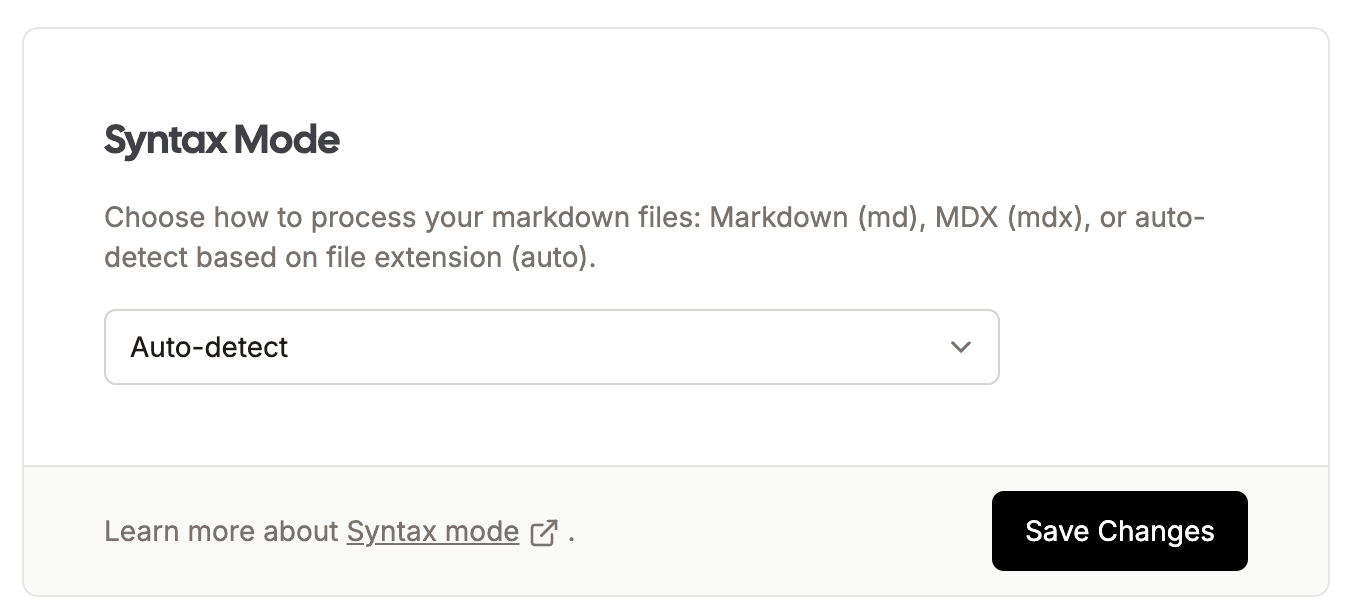
Options:
"md"- Use regular Markdown rendering for all pages"mdx"- Use MDX rendering for all pages"auto"- (Default) Automatically decide based on file extension (.mdvs.mdx)
Per-Page Override
Override the global setting for individual pages using frontmatter:
---
title: My Page
syntaxMode: md
---

Your content here...
Per-page frontmatter accepts:
"md"- Render this page as regular Markdown"mdx"- Render this page as MDX
Publishing from Obsidian
If you're authoring your content in Obsidian (or some other Markdown editor) and want to take advantage of some MDX features, e.g. use a Flowershow component, you can use frontmatter to set the rendering mode to MDX for a given file. Changing file extension to .mdx is not advised in this case, because you won't be able to edit that file in Obsidian anymore (you can only edit .md files there).
---
title: My Catalog Page
syntaxMode: mdx
---

<List path="notes" />
Summary
The new syntax mode configuration gives you the flexibility to:
- Work seamlessly with content from Obsidian and other Markdown editors
- Progressively enhance your site with JSX components
- Choose the right rendering mode for each page's needs