Sidebar Navigation: Now On by Default, Better on Mobile, and Route-Aware
A round-up of recent sidebar improvements — on by default for new sites, a redesigned mobile experience with breadcrumbs, and per-route visibility control.
We've shipped a series of improvements to sidebar navigation that make it easier to set up, nicer to use on mobile, and more flexible for sites with mixed content.
Sidebar enabled by default
Previously, new Flowershow sites launched without a sidebar — you had to opt in via config.json. Now, the sidebar is enabled by default for every new site. Existing sites are unaffected.
Redesigned mobile sidebar
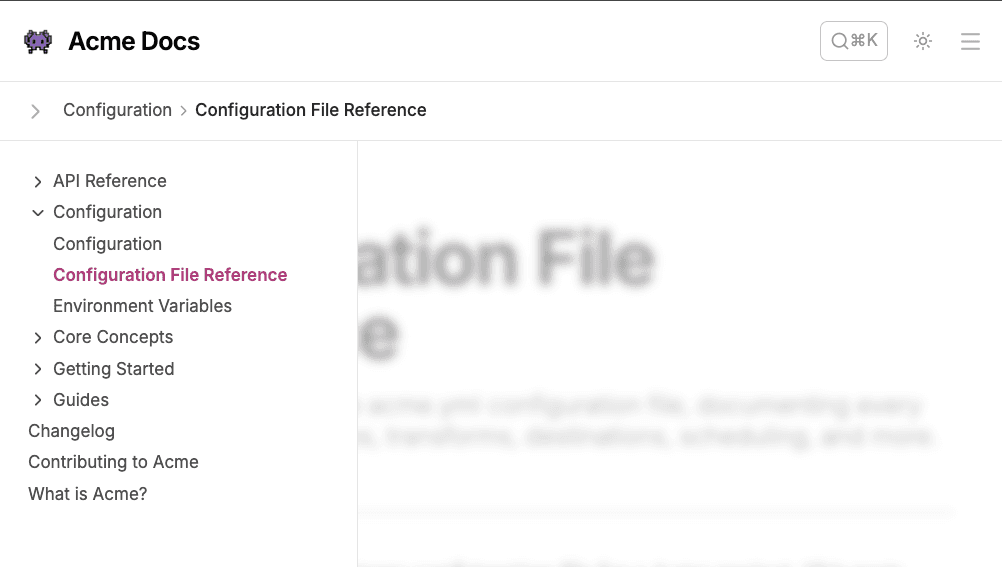
On smaller screens, the sidebar used to be inlined into the navigation menu, which made it hard to browse on content-heavy sites. We've replaced that with a dedicated slide-out drawer, plus a breadcrumb bar that shows your current location in the site tree.
Tap the chevron icon to open the full sidebar. The breadcrumbs update as you navigate, giving you context without taking up screen space.
Route-specific sidebar
Not every site needs a sidebar on every page. With the new sidebar.paths option you can restrict the sidebar to specific sections:
{
  "showSidebar": true,
  "sidebar": {
    "paths": ["/docs", "/guides"]
  }
}
The sidebar will only appear — and only list pages — under the matching route prefixes. Your landing page, blog, and other sections stay clean. And you can still override per-page with showSidebar: false in frontmatter.