Listing pages
A blog index, a grid of projects, a compact archive, a team page or the latest posts on your home page, from any folder, in plain Markdown.
Everything on this page is fenced blocks and frontmatter. You don't need MDX or components, and it works the same in .md and .mdx pages.
A blog with nothing to write
A folder named blog or posts (any case, at any depth, so /notes/posts counts too) lists itself:
- No
README.mdorindex.mdin the folder:/blogshows every page in the folder and its subfolders, newest first, 20 per page, titled after the folder ("Blog"). - A
README.md(orindex.md) with only prose: the list appears under your prose. - An Obsidian folder note (
blog.mdbesideblog/) with only prose: the same, the list appears under the note.
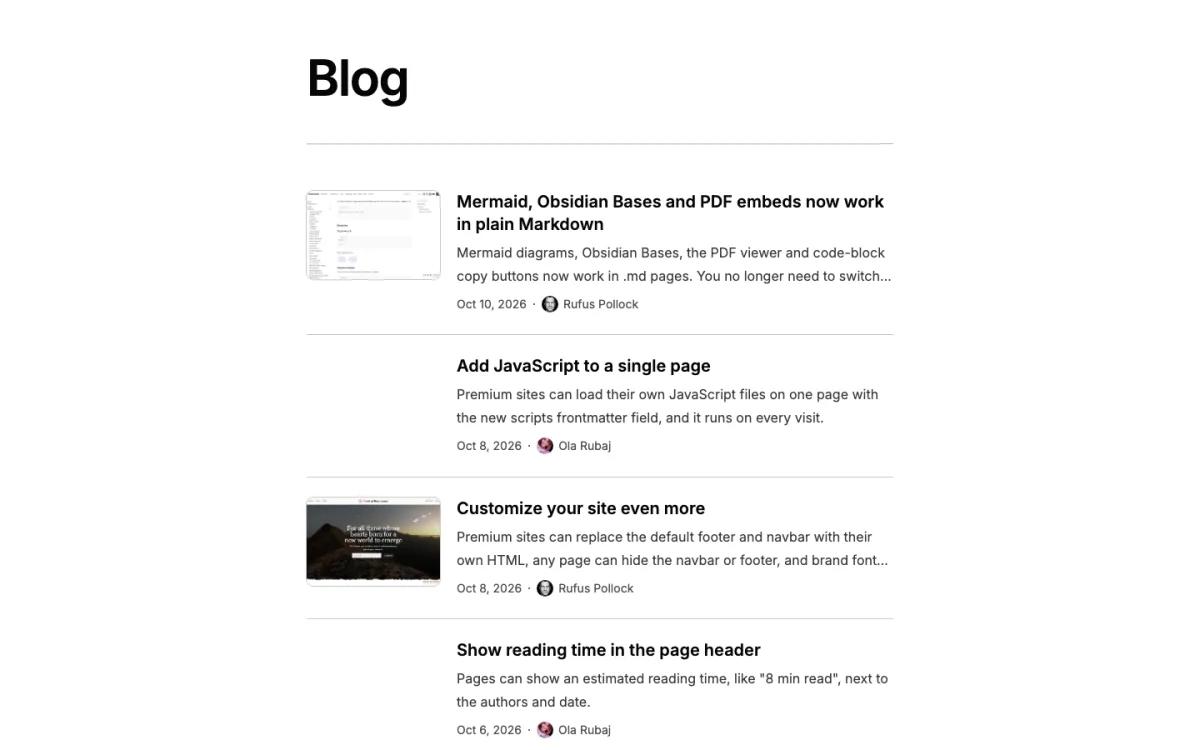
Pages that already decide for themselves are left as they are: any page with a layout, and any page that already has a list block, an Obsidian Bases block or embed (![[Posts.base]]), a <List /> component or an <ObsidianBasesViews /> component.
If your blog/README.md links to its posts by hand and you don't want a second list under it, add list: false to its frontmatter:
---
title: Blog
list: false
---
The posts themselves get a post layout (reading column, byline, cover image, previous/next and "Read more" cards). See Post pages.
A blog index in one line
Add layout: list to a folder's README.md to list that folder:
---
title: Blog
layout: list
---

Notes on building things, roughly weekly.
The page shows its title, your intro, then every page in blog/ and its subfolders, newest first, 20 per page, with "Newer" and "Older" links. Each item shows its title, description, image (if it has one), date and authors.
The header holds the title, the page's description and your intro, with the first paragraph of the intro set like a standfirst; a thin rule then separates the header from the list. When your site has RSS on ("enableRss": true in config.json) and the list is newest first by date, the header also links your site's feed (/rss.xml) with a small RSS button. The feed is site-wide: it holds every dated page, so a people page or a list sorted by title gets no button. Listing pages don't show the site-wide comments box; add showComments: true to the page's frontmatter to get it back.
Titles and summaries are plain text: Markdown in a title or description (or in the opening sentence used when there is none) is shown without its syntax, so `fl publish` shows as fl publish, a stray ``` disappears and <https://example.com> shows as its address. Text that only looks like HTML, such as Array<string>, is kept.
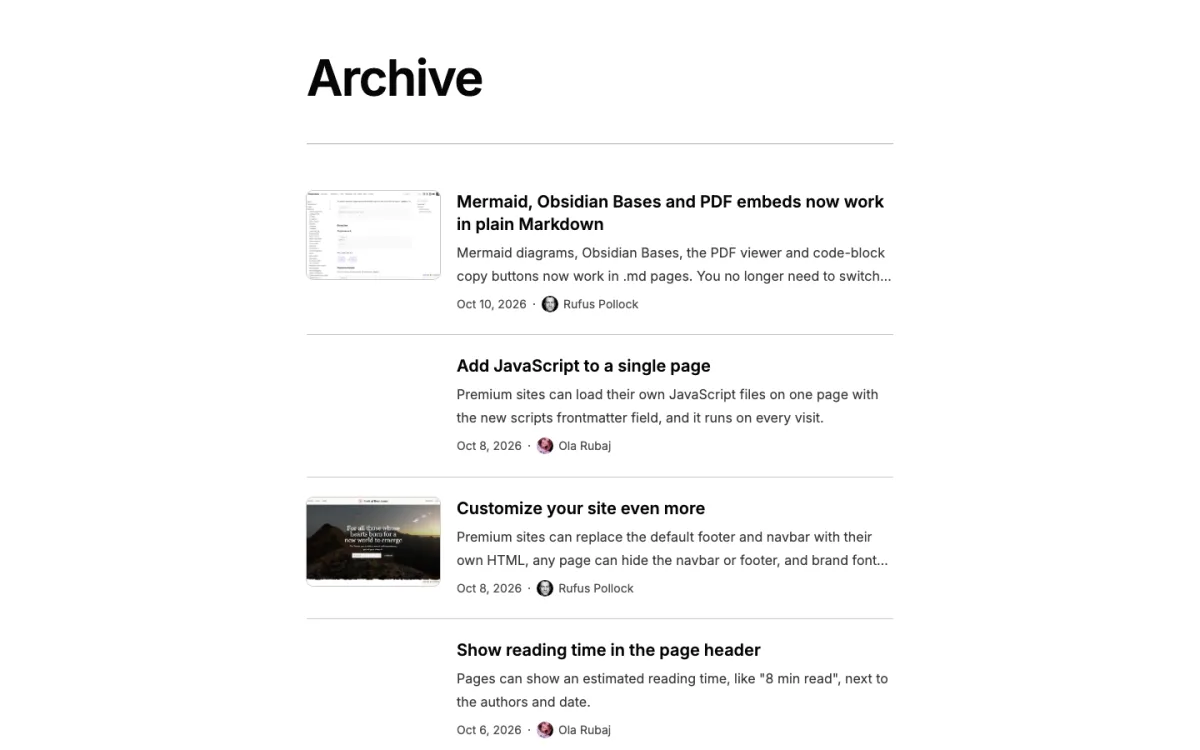
Page-level options go in a list: map in the same frontmatter and use the same keys as a block (see Options):
---
title: Projects
layout: list
list:
  view: grid
  sort: title
---
On an Obsidian folder note (blog.md beside blog/), layout: list lists the sibling folder.
Or put a ```blog block anywhere on any page. It lists blog/:
```blog
```
A ```blog block is a ```list block with from: blog filled in. For any other folder, use ```list and say which one:
```list
from: notes
```
from is relative to the site root (a leading / is optional), or to the page's own folder with ./ (from: ./drafts).
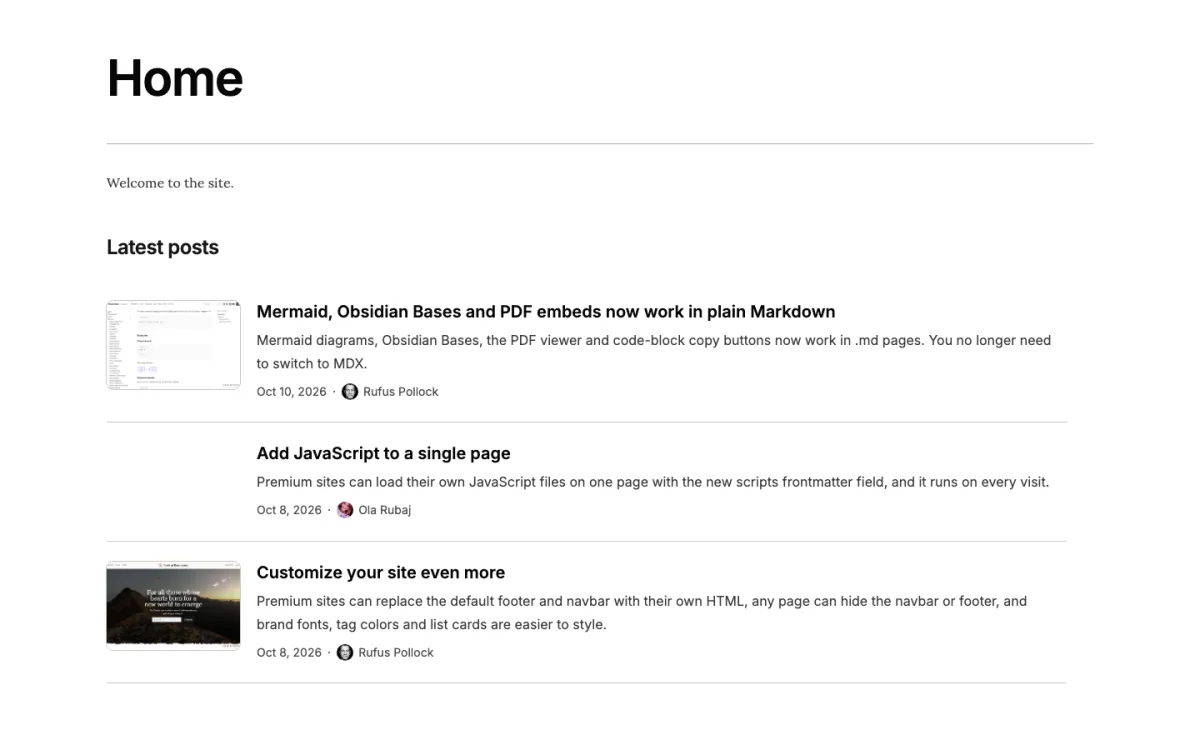
Latest posts on your home page
---
title: Jane Smith
---

I write about compilers and gardening.

## Latest posts

```blog
limit: 3
```

[All posts →](/blog)
limit shows the first three and never paginates.
Options
Every key works in a ```list or ```blog block and in a list: map on a layout: list page.
| Key | Values | Default | What it does |
|---|---|---|---|
from | folder path | blog for ```blog; the page's own folder for layout: list; required for ```list | The folder to list, including its subfolders. Must be a folder, not a page. |
view | list, grid, compact, people, magazine | list | Rows with a thumbnail, a grid of cards, one-line date + title rows, portraits, or a newspaper-style front page. See Views. |
sort | <field> [asc|desc] or -<field> | date desc (title in people) | Order of items. date means the item's date (see fields). title, path or any frontmatter field. |
limit | number | none | Show at most this many items and never paginate. For teasers. |
pageSize | number or none | 20 on layout: list and zero-config pages; none in blocks | Items per page. A list with neither limit nor pageSize shows at most 200 items. |
where | map of field to value(s) | none | Keep only matching items. See Filtering. |
fields | map of slot to field, or a list | per view | Which frontmatter field fills each part of a card. See fields. |
media | thumb, thumb right, cover, none | thumb in list and magazine (on the left), cover in grid and people, none in compact | How images are shown: a thumbnail beside the text (left unless you write thumb right), a cover above it, or no images. In magazine it sets the rows below the front page; none turns off every image. |
ratio | 16/9, 3/2, 4/3, 1/1, 3/4 | 3/2 for thumbnails, 16/9 for covers, 1/1 in people | Shape of the image box. 16:9 works too. |
defaultImage | image path, [[wikilink]] or none | unset | Image for items that don't have one, found relative to the listing page. none turns off the placeholder tiles (see Views). |
featured | 0, 1 (true works too) | 0; 1 in magazine | 1 shows one item as a large hero above the rest, on page 1: the first item with featured: true in its frontmatter, otherwise the first item (the latest post with the default sort). list, grid and magazine only. See A featured post. |
group | none, year, month, day, folder or a field name | none; year for compact on layout: list and zero-config pages | A heading before each group, each group once. See Grouping. |
headings | more: and recent: text, or none | more: More posts, recent: Recent posts | The two section headings of the magazine view; none hides one (or both). See A magazine front page. |
Keys are case-insensitive (pagesize works). A few natural guesses are read silently: dir and folder mean from, layout inside a block means view, cards means grid, sortBy with sortDirection means sort, and sort: -date means newest first.
Choosing what each card shows (fields)
Each card has the same parts: an image, an eyebrow above the title, the title, a summary, and a meta line (date · authors · extra values). By default they come from these frontmatter fields:
| Slot | Default field | If that is missing |
|---|---|---|
title | title | the first # heading, then the file name |
summary | description | the page's opening sentence |
date | date | pubDate, published, publishDate, created, then a YYYY-MM-DD prefix in the file name |
image | image | cover, heroImage, thumbnail, avatar |
authors | authors | author |
eyebrow | none | |
meta | none |
Change only the slots you name:
```list
from: projects
view: grid
fields:
  date: none
  eyebrow: client
  meta: [status]
```
nonehides a slot (the title can't be hidden). Projects usually wantdate: none.eyebrowandmetatake up to two fields each:eyebrow: [date, category]. A field in the eyebrow leaves the meta line, soeyebrow: datemoves the date up.- Naming a field replaces the fallbacks:
fields: { date: published }reads onlypublished. - The list form turns on exactly the named slots:
fields: [title, date, description].descriptionfills the summary,imagethe image,author/authorsthe authors; any other name goes in the meta line.
Authors show as small avatars and names linked to their author pages (see Page authors); a name without an author page is plain text. Wiki links in any field (guests: ["[[Ada Lovelace]]"]) become links. Images can be wiki links or paths relative to the item's own file; only real images (an image file on your site, or an http(s) URL) are shown.
readingTime isn't available in listings yet.
Views
list (the default) is one column of rows, each with a 3:2 thumbnail with square corners. The thumbnail sits on the left; media: thumb right puts it on the right. On a layout: list page without a sidebar, the header, intro, list and the edit link below it share one centred reading-width column, like a post. With a sidebar the page keeps the normal page column, so it lines up with the pages around it. When at least half of the list's items have an image (counting every page, so page 2 looks like page 1), a row without one gets an empty tile, a soft wash of your theme's accent colour, so the text column stays lined up. With fewer, rows without an image are text only, lined up with the other rows' text. defaultImage shows your image instead of the tile, and defaultImage: none makes those rows text only. When no item has an image there is no image column at all. media: cover shows a wide image above each row's text; media: none gives plain text rows.
grid shows cards in three columns on wide screens, two on tablets and one on phones. A layout: list grid page uses the full content width.
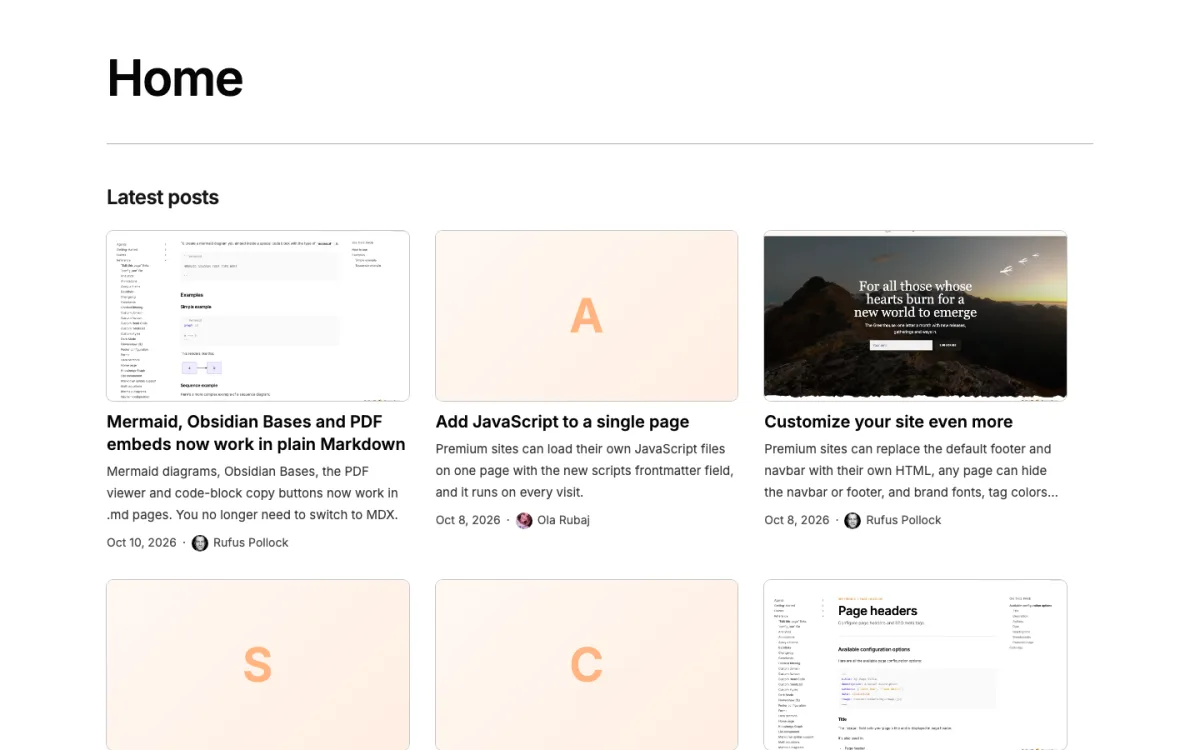
How a grid handles items without an image:
- No item has an image: text-only cards, with no image boxes.
- Some items have images: the others get an empty tile, a soft gradient of your theme's accent colour, so the rows stay aligned. It has no letter, so it never reads as a broken image. The tile is decorative (screen readers skip it). On phones, where the grid is one column, the tiles are hidden.
defaultImage: "[[cover.png]]"shows that image instead of the tile.defaultImage: noneturns the tiles off: those cards are text only.
```list
from: projects
view: grid
ratio: 4/3
defaultImage: "[[assets/project-placeholder.png]]"
```
Quote a wiki link value ("[[cover.png]]") to keep it valid YAML in other tools; unquoted works too.
compact is one line per item: the date in a column, then the title. No images, no summaries. Good for archives, talks and references. See An archive.
people shows portraits in up to four columns (two on phones), each with a name, a role and a short bio. See A team page.
magazine opens page 1 like a newspaper front page: a big hero in the middle, two stories on the left and a "More posts" column on the right, then the rest as rows under "Recent posts". See A magazine front page.
An archive (compact)
---
title: Archive
layout: list
list:
  from: blog
  view: compact
  pageSize: 50
---
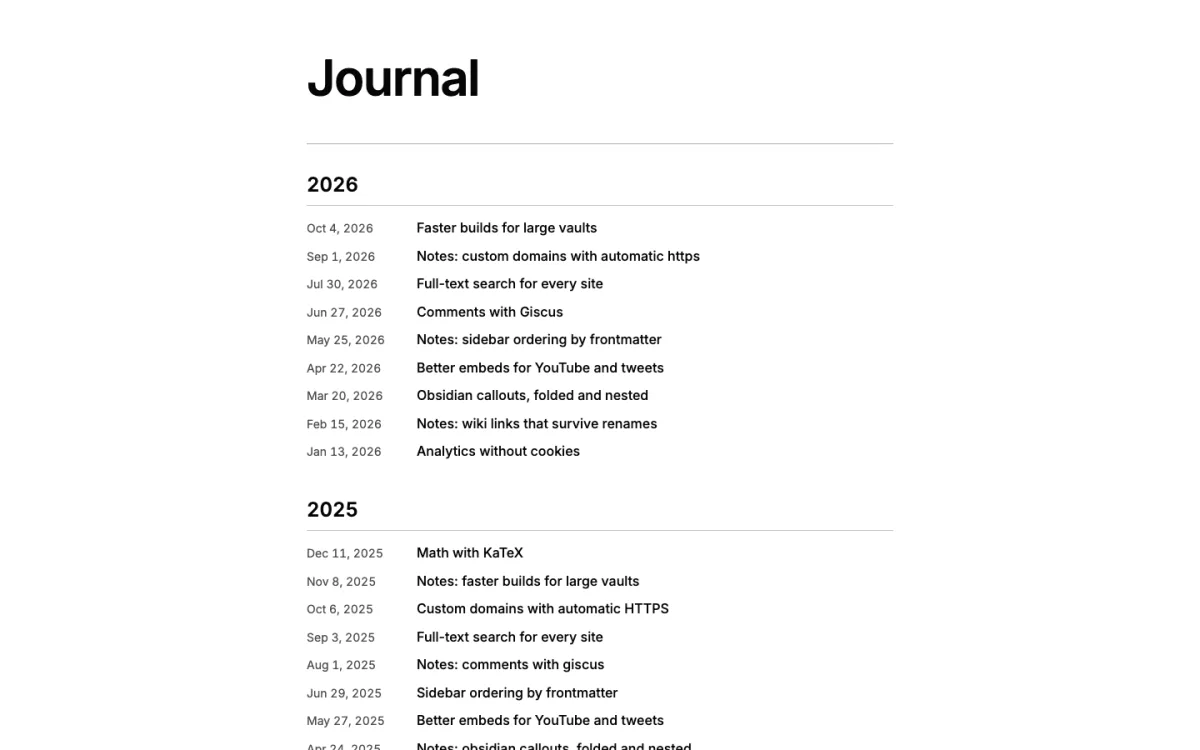
On a layout: list or zero-config page, compact groups items under a heading per year. A block is not grouped unless you set group, so a three-line teaser on your home page has no headings:
```blog
view: compact
limit: 3
```
Each item is one line: no images, summaries or authors, even if fields asks for them. The date column is as wide as the longest date in the list, so long dates in other languages ("30 de set. de 2026") never run into the titles. The first meta field gets its own column between the date and the title, like a category column in a table (it's hidden on phones):
```blog
view: compact
fields:
  meta: [category]
```
A magazine front page (magazine)
---
title: Blog
layout: list
list:
  view: magazine
---
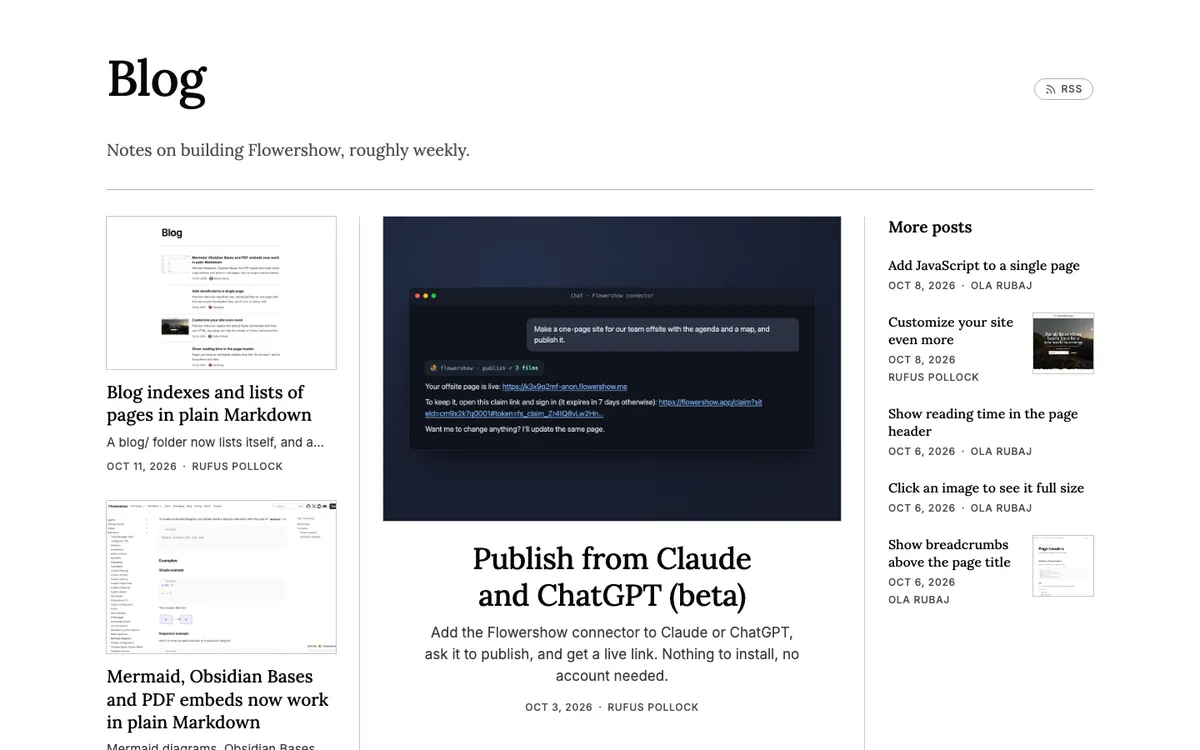
Page 1 starts with three columns separated by thin rules:
- In the middle, the hero: the first post with
featured: truein its frontmatter, otherwise the latest. A large image, then a big centred title, its description and a date and authors line. - On the left, two stories, each with a large image, its title, a one-line description and the date and authors.
- On the right, "More posts": up to five more, each with a title, the date and authors, and a small square thumbnail.
The rest follow under a "Recent posts" heading as list rows, with "Newer" and "Older" links when there are more pages. Page 2 and later pages are plain rows.
Small sets keep a shape of their own instead of half-empty columns: one post is a centred hero, two put a story beside the hero, three put two stories beside it, and four put three "More posts" beside it. A post without an image still fits: the hero becomes a large title on its own, a "More posts" entry simply has no thumbnail and a story is a clean text-only card. The rows under "Recent posts" follow the list rule (a tile when at least half of the posts have an image, text only otherwise). If no post has an image, the page is all text. Dates and author names in the "More posts" column wrap onto a second line rather than being cut short. On a tablet the hero goes on top with the columns below it; on a phone everything is one column.
Titles use your site's body font (a serif in the default theme), like a newspaper, and so does the page title of a layout: list magazine page, so the page uses one type family. The "Recent posts" rows line up with the front page: they start at its left edge and end at the hero's right rule. Rename or hide the two headings with headings:
```blog
view: magazine
limit: 8
headings:
  more: Latest
  recent: none
```
featured: 0 keeps the layout but does not promote a featured: true post: the hero is simply the first in the list's order. media: thumb right puts the thumbnails of the rows below on the right.
A team page (people)
Make one page per person in a folder (team/ada.md, team/grace.md), then:
```list
from: team
view: people
```
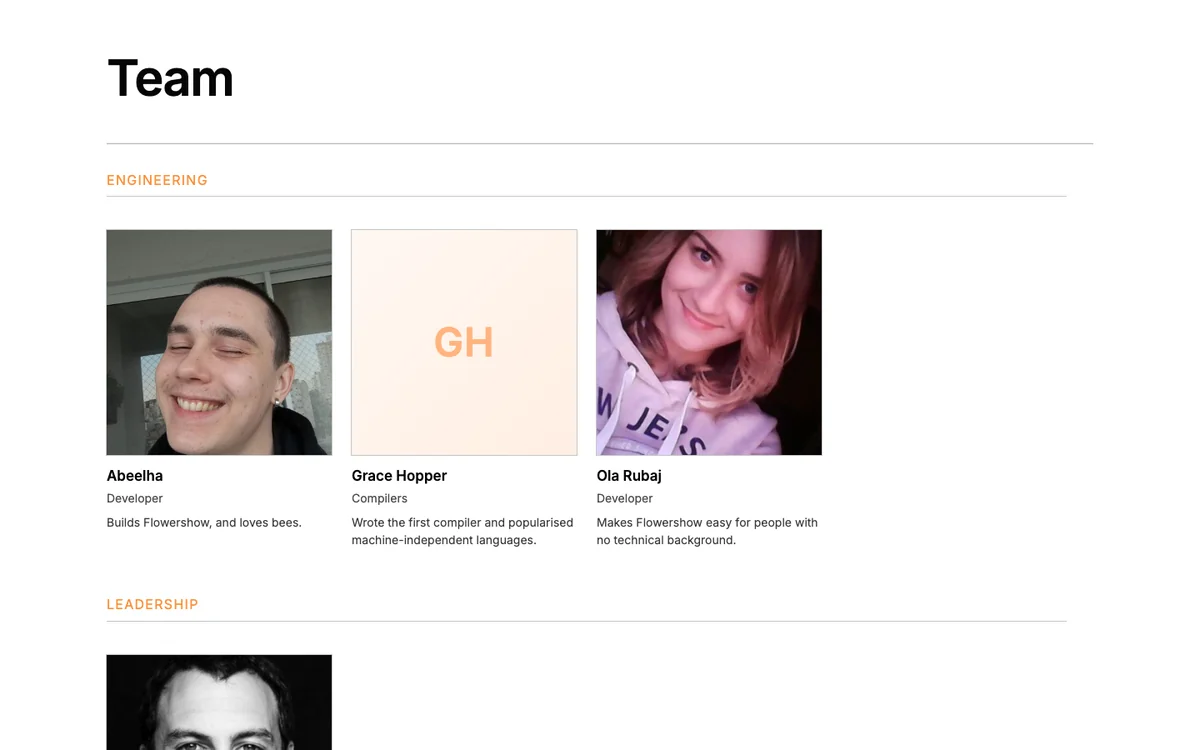
Each card shows the person's avatar (or image, photo) as a square portrait, title as the name, role under it and bio (or description) as two lines. People without a photo get their initials on a tinted square of the same size. People are sorted by name; give each page an order: number and add sort: order to choose the order yourself. media: thumb shows small portraits beside the text, one person per row. group: team puts everyone under a heading for their team.
The page above is a layout: list page with view: people and group: team. A single team.md with a table can't be listed: a list shows one page per item.
A featured post
featured: 1 (or featured: true) shows one item as a hero above the rest, on page 1: a large image beside the title, summary and meta line on wide screens, stacked on phones and in a reading-width column; a full-width text block if the item has no image. The item is the first one with featured: true in its frontmatter, otherwise the first item in the list's order (the latest post with the default sort). It isn't repeated below. A magazine-style home page is a grid with a featured post:
```blog
view: grid
featured: 1
limit: 7
fields:
  eyebrow: category
```
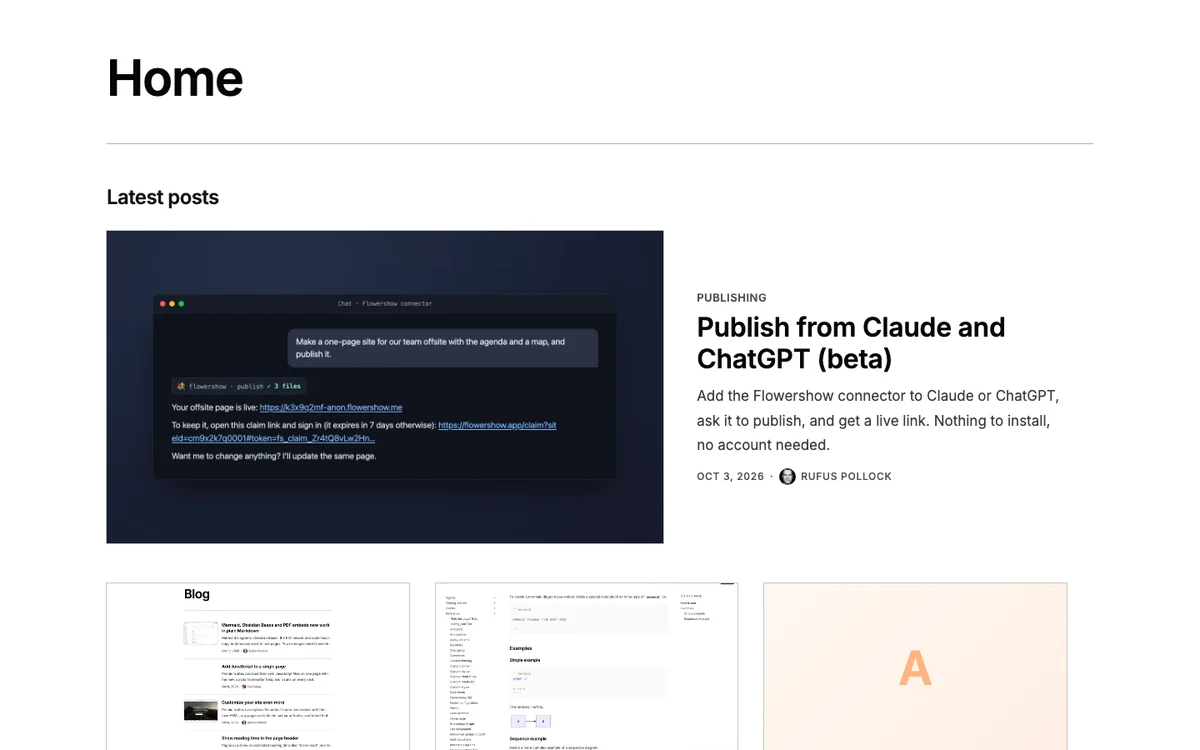
A block with limit always shows its hero, also on ?page=2 of the page it sits on; a paginated list shows it on its own first page only. featured works in list, grid and magazine (where it is on by default); other views ignore it.
Grouping
group adds a heading before each group of items. Items are ordered by group first, then by sort within each group, so every heading appears once:
year,month("September 2026") orday("Sep 18, 2026") group by the item's date, newest group first (oldest first withsort: date asc). Undated items go last, under "Undated".foldergroups by the first subfolder underfrom.- Any other name groups by that frontmatter field (the first value of a list), in alphabetical order, with items that don't have it last under "Other". The field name matches in any case (
group: Teamreadsteam:), and values that differ only in case or accents (Design,design) form one group, headed by the most common spelling.
```list
from: projects
view: grid
group: status
```
Group headings stay out of the table of contents. With featured: 1, the hero sits above the first heading. When a group continues on the next page, its heading is repeated there.
Which pages are listed
A page is listed when it is in the from folder or any folder below it, and:
- it is a
.mdor.mdxpage (not a canvas or an asset); - it isn't the folder's own
README.md/index.md. AREADME.mdorindex.mdin a subfolder is listed, titled after its folder:projects/alpha/index.mdis the item "Alpha", with its images beside it; - it isn't the page the list is on;
- it doesn't have
publish: false; - it doesn't have
draft: true.
A draft stays reachable at its URL (so you can share it for review) but is left out of list blocks, layout: list and zero-config pages, the older <List /> component, changelog timelines, the RSS feed, the sitemap, site search, tag pages and the sidebar. It also asks search engines not to index it. Backlinks and the graph view still show it. To take a page off the site entirely, use publish: false instead.
Pages hidden from the sidebar with contentHide are still listed.
Sorting
sort: date (the default, newest first) uses the item's date as described in fields, so what you see, the order and the filter all agree. Undated items come last, by title. sort: title sorts alphabetically; sort: <field> sorts numbers as numbers and dates as dates, with missing values last. Add asc or desc (sort: title desc), or prefix a minus for descending (sort: -order).
Filtering with where
```list
from: podcast
where:
  type: episode
  guests: Ada
```
- A plain field must equal the value (
year: 2026matches"2026"); a list field must contain it. - A list of values means any of them:
tags: [design, research]. tagsmatches frontmatter and inline tags, including nested tags.date: upcomingkeeps items dated today or later,date: pastitems before today. Handy for events.- Several keys must all match.
- Values are case-sensitive.
For anything more (or, not, comparisons, formulas), use Obsidian Bases.
Pagination
Pages are ?page=2, ?page=3 and so on; page 1 is the plain URL. A layout: list or zero-config page shows 20 per page; a block shows everything, up to 200 items, unless you set limit or pageSize. Only one list per page can paginate: give any other list a limit. On a layout: list page, use pageSize, not limit. A page number past the last page is a 404. In a changelog timeline, where ?page= pages through the entries, a block with pageSize shows its first page only; its other pages are on the entry's own page.
Lists on layout: list and zero-config pages are always in the page's HTML when it loads. A block in an .mdx page appears after the page loads, like other MDX content, so prefer .md for pages that list things.
Dates in your language
Dates use the site's locale in config.json (default en-US), and a page can override it with locale in its frontmatter:
"locale": "de-DE"
With de-DE, a date shows as "18. Sept. 2026". An unknown locale falls back to en-US.
The table of contents
Item titles never appear in the table of contents. A layout: list or zero-config page whose own text has no headings therefore hides the table of contents column (which would be empty), so a grid gets the full width. Add a ## heading to the intro and the table of contents comes back.
When something is wrong
If a block can't be read, it is replaced with a card listing every problem and the keys you can use:
List block has problems
• No folder "posts" with pages. Folders with pages: blog, notes.
• Unknown key "perPage". Use "pageSize".
• Unknown key "image". Use "media: cover" (to choose which field holds the image, use "fields: { image: <key> }").
Keys: from, view, sort, limit, pageSize, where, fields, media, ratio, defaultImage, featured, group, headings.
Other messages you may see:
"from" must be a folder; "team.md" is a page. Listings show one page per item, e.g. one page per person in "people/"."limit" shows only the first 5 items and hides the rest; for 5 per page use "pageSize: 5".(on alayout: listpage)Only one list per page can paginate; add "limit:" or remove "pageSize:" from this one.Unknown key "filter". Use "where".
A folder that exists but has nothing to list shows "Nothing here yet."
Harmless redundancies, such as limit together with pageSize, still render the list and leave a note in a data-listing-notes attribute on the list's <section> instead of a visible message. To see it, inspect the list in your browser's developer tools.
List block or Obsidian Bases?
| Use | When |
|---|---|
A list block or layout: list | You want a blog index, a grid of projects or the latest posts from a folder, with dates, authors, images and pagination. |
| Obsidian Bases | You want a table, formulas, or/not filters or comparisons, or exactly what you see in Obsidian. |
Coming from the List component
The `<List />` component keeps working. To switch:
<List /> | List block |
|---|---|
<List dir="/blog" /> in .mdx | ```list with from: blog (or ```blog), works in .md |
pageSize={5} | pageSize: 5 |
fields={["title", "description", "date", "image"]} | fields: [title, description, date, image] |
slots={{ media: "cover" }} | fields: { image: cover } |
slots={{ eyebrow: "date" }} | fields: { eyebrow: date } (the date moves up and leaves the meta line) |
slots={{ headline: "name" }} | fields: { title: name } |
slots={{ summary: "dek" }} | fields: { summary: dek } |
slots={{ footnote: "authors" }} | the default: authors show as avatars and linked names |
slots={{ footnote: "status" }} | fields: { meta: [status] } |
relative image: paths resolved from the site root | resolved from the item's own file |
For example, this blog/index.mdx:
<List dir="/blog" pageSize={5} slots={{ eyebrow: "date" }} />
becomes a blog/README.md:
```blog
pageSize: 5
fields:
  eyebrow: date
```
or, for the whole page, layout: list with list: { pageSize: 5, fields: { eyebrow: date } } in the frontmatter.
Styling
Lists use the same .list-component-* classes as <List />, plus attributes that say which view and image style a list uses. A layout: list or zero-config page wraps them in a listing page:
div.listing-page[data-view]
  header.page-header > .page-header-title-row > h1.page-header-title, .page-header-actions > a.listing-page-feed-link
  .rendered-mdx#mdxpage > .listing-page-intro (your text), .listing-page-listing (the rule, then the list)
section.list-component.list-component--list|--grid|--compact|--people|--magazine[data-view][data-media][data-media-side][data-ratio]
  .list-component-magazine-top[data-layout] (magazine, page 1: solo, pair, trio, lead-more or full)
    article.list-component-item--featured  (the hero)
    .list-component-magazine-side > article.list-component-item--card
    .list-component-magazine-more > h2.list-component-section-heading, article.list-component-item--brief
  .list-component-magazine-rest           (magazine: h2.list-component-section-heading, then the rows)
  h2.list-component-group-heading       (with group)
  article.list-component-item[.list-component-item--featured]
    .list-component-item-media            (image, or an empty tile: .list-component-item-media--placeholder; in people it holds .list-component-item-initials)
    .list-component-item-content
      .list-component-item-eyebrow
      h3.list-component-item-headline
      .list-component-item-summary
      .list-component-item-meta           (time, .list-component-item-authors, .list-component-item-meta-value[data-field])
  nav.list-component-pagination
Most of the look is set with custom properties, in your custom.css:
:root {
  --list-title-font: var(--font-body); /* serif titles, as in the magazine view */
  --list-card-radius: 6px;        /* rounded images (square by default) */
  --list-thumb-width: 140px;      /* smaller list thumbnails */
  --list-thumb-order: 2;          /* every list thumbnail on the right */
  --list-card-min: 14rem;         /* narrower grid cards, more columns */
  --list-media-placeholder: #f3efe6; /* placeholder tile background */
  --list-media-dim: 1;            /* no dimming of covers in dark mode */
}
| Variable | Default | What it changes |
|---|---|---|
--list-title-font | the heading font; the body font (a serif) in magazine | Item titles, and the magazine's "More posts" and "Recent posts" headings |
--list-max-width | 44rem | The reading column of list and compact pages without a sidebar |
--list-rest-max-width | none (the front page's grid) | A maximum width for the rows below a magazine front page |
--list-gap | per view | Space between grid cards and portraits |
--list-card-min | 17.5rem | The narrowest a grid card gets (more columns when smaller) |
--list-card-radius | 0 | Image and card corners |
--list-card-border, --list-card-bg, --list-card-hover-bg | none | Grid card border and background |
--list-media-ratio | from ratio | The image box shape, for every list |
--list-media-placeholder | a soft gradient of the accent into the background | Placeholder tiles for items without an image (and people without a photo) |
--list-media-dim | 0.88 | Brightness of list and post cover images in dark mode, so white screenshots don't glare (full brightness on hover); 1 turns it off |
--list-monogram-color | the accent | People initials |
--list-thumb-width | 180px (104px on phones) | List thumbnails |
--list-thumb-order | 0 | 2 puts every list thumbnail on the right |
--list-avatar-shape | square portraits, round author photos | People portraits and the small author photos in the meta line; 50% makes them all round |
--list-meta-color | muted text | The date and authors line (small uppercase letters) |
--list-meta-transform | uppercase | The meta line's letters; none keeps them as written |
--list-eyebrow-color | muted text | The eyebrow above the title |
--list-group-color | your accent colour mixed with the text colour, for contrast | Group headings (group: year and so on) |
--list-rule-color | a light hairline | Lines between rows and the magazine's column rules |
--list-compact-meta-width | 9em | The compact category column |
Post pages have their own --post-* variables (--post-max-width, --post-wide-max-width, --post-body-size, --post-hero-max-height, --post-hero-radius, --post-avatar-size, --post-meta-color, --post-eyebrow-color, --post-rule-color), which fall back to the list ones where they overlap. See Post pages.
Meta values show without labels. Add one with CSS:
.list-component-item-meta-value[data-field="episode"]::before {
  content: "Episode ";
}
If your custom.css restyles .list-component for the old <List />, scope those rules to .list-component:not([data-view]) so they don't apply to the new lists. Every class is listed in the Theme class reference.
Good to know
layout: liston yourchangelog/README.mdrenders a plain list, not the changelog timeline.- If your site has a
rootDir, afromthat starts with that folder's name has it removed, sofrom: content/blogandfrom: blogboth work. - A page can have at most 10 lists.
- A list with neither
limitnorpageSizeshows at most its first 200 items, with a note indata-listing-notes. For a bigger folder, setpageSizeto page through it all.
