"Edit this page" links
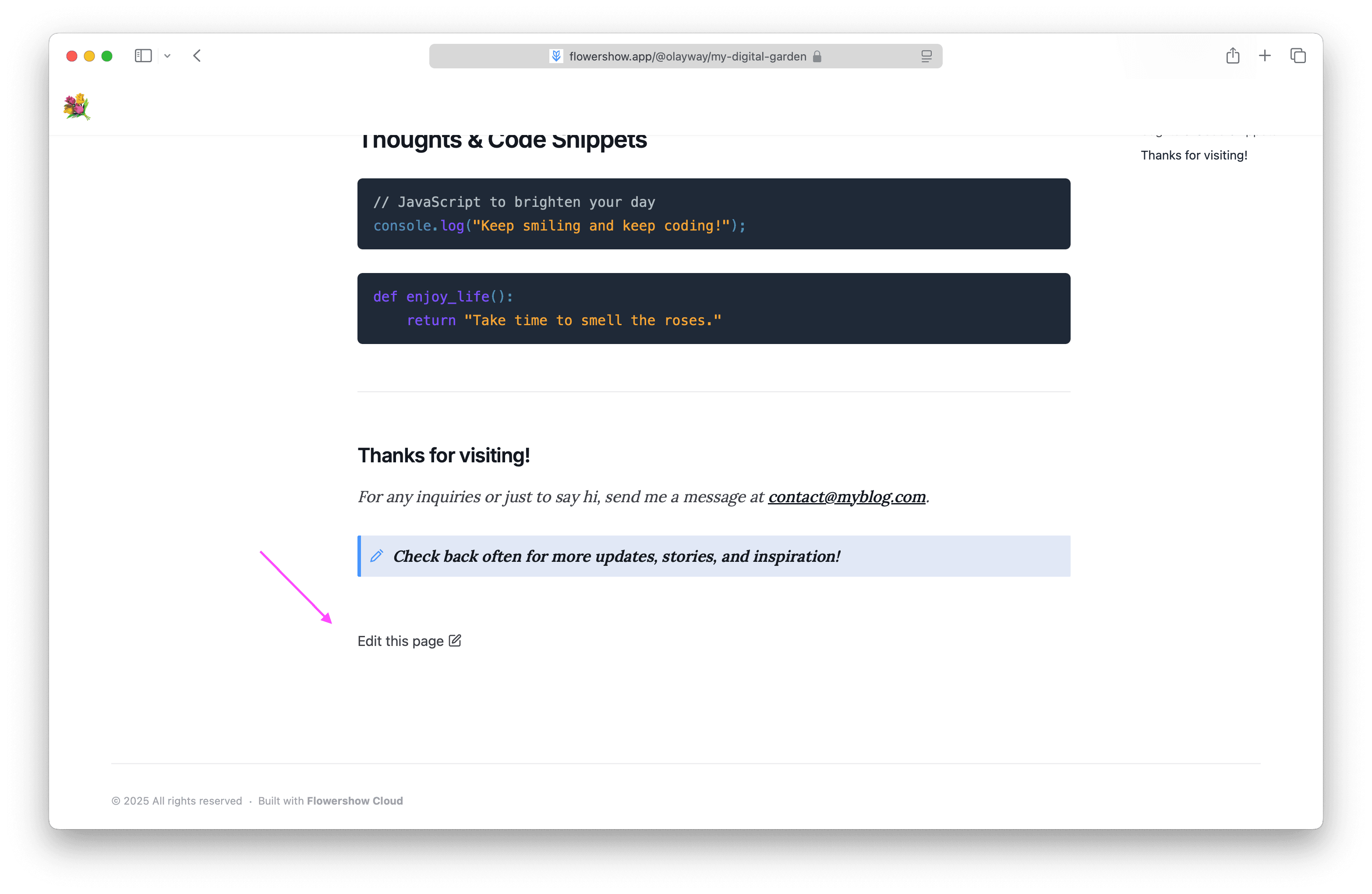
Display an "Edit this page" link at the bottom of each page that takes users directly to the file in your GitHub repo, ready for editing.
Configure "Edit this page" links from the Flowershow dashboard under Site Settings → Features, or using config.json if you prefer to version-control your settings or manage them via an automated workflow.
Your GitHub repository must be public and connected via the GitHub integration. The dashboard toggle is disabled until GitHub is connected.
Enabling the edit link
Go to Settings → Features → Show Edit Link and toggle it on to display a link at the bottom of each page for readers to edit the source on GitHub.
Per-page control
You can override the site-wide setting on individual pages using frontmatter.
To hide the link on a specific page when it's enabled site-wide:
---
title: My Page
showEditLink: false
---
To show it only on specific pages without enabling it site-wide:
---
title: My Page
showEditLink: true
---
Using config.json
If you want to version-control your configuration, or have your editor's AI agent manage settings without touching the dashboard, you can define everything in config.json instead. Values set in config.json take precedence over dashboard settings.
{
  "showEditLink": true
}
showEditLink: Set totrueto enable the "Edit this page" link on all pages, orfalseto disable it. Can be overridden per page in frontmatter.
